
Strategies To Maximize Your Lawyer Local SEO
1. Google Business Profile Optimization
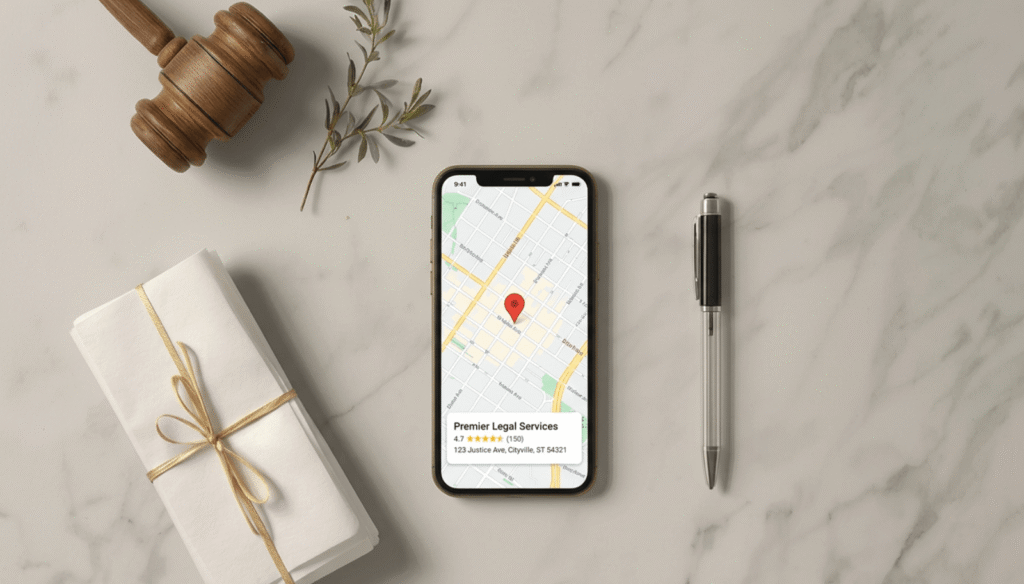
Your Google Business Profile (GBP) is the free listing that appears in Google Maps and the Local Pack. It’s the single highest-ROI action you can take for local visibility.

Before anything else, you need this sorted. Follow these steps to optimize your GBP.
Claim & Verify
Go to business.google.com and search for your firm. If a listing already exists, claim it. If not, create one from scratch.
Google will verify your listing by mailing a postcard to your office address. This usually takes 5–14 days. Don’t skip verification as an unverified profile doesn’t rank.
One critical rule: use your physical office address. Never create fake offices or use virtual addresses without genuine staff presence.
If you have multiple office locations, create a separate GBP for each one.
Optimizing Elements Of Your GBP
Once verified, fill out every section. Here’s what matters most:
Business name: Use your firm’s exact legal name. Match your business name exactly as registered with the state bar or licensing entity. Do not add keywords or city names in the business name field unless they are part of the official name.
Primary category: This is your most important GBP decision. Don’t just pick “Law Firm.” If you’re a personal injury firm, choose “Personal Injury Attorney” as your primary business category. The primary category directly influences which searches you appear for. Add secondary categories for additional practice areas.
Description: You get 750 characters. Use them. Describe your practice areas, the types of clients you help, and your location. Include keywords naturally. “We help individuals and families in [City] navigate divorce, custody disputes, and property division” is better than “Experienced family law firm.”
Phone number: Use a local number. Toll-free numbers are a minor trust signal issue in local search.
Website: Link to your main site, not a specific landing page.
Service area: If you serve clients across multiple counties or cities, add those areas explicitly.
Photos: Upload at least 10 photos. Include:
- Your office exterior (so clients can recognize it)
- Your office interior and reception area
- Headshots of attorneys on the team
- Any awards, recognitions, or visible credentials
Photos signal an active, legitimate business. Profiles with photos consistently outperform those without.
Hours: Keep these accurate and up to date. Wrong hours generate negative reviews.
Services: Add your specific practice areas as individual services. This helps Google match you to narrow searches like “estate planning attorney” or “DUI lawyer.”
Q&A section: This is one of the most overlooked parts of GBP. Anyone can add questions, and anyone can answer them. Seed this section yourself. Add the five most common questions potential clients ask you, and answer them directly.
Publishing Posts Regularly
GBP Posts are short updates that appear on your profile. Think of them like social media posts attached to your Google listing. Google favors active profiles over dormant ones.

Post at least once per week or every two weeks. Good post ideas include:
- A recent case outcome (keeping client details confidential)
- A practical tip related to your practice area.
- An announcement about a new service, location, or attorney joining the firm
- A response to a relevant legal development in your state
Keep posts under 300 words. Add a clear CTA at the end. Posts expire after seven days, so schedule them into your weekly routine.
2. Keyword Research With Local Intent
Legal keyword research is different from most other niches. Potential clients don’t always use legal terminology. They search the way they think, not the way a law school textbook reads.
Your keyword strategy needs to combine:
- Practice area terms (divorce lawyer, DUI attorney, estate planning)
- Location modifiers (city name, county name, “near me”)
- Problem-based phrases (how to file for divorce, arrested for DUI what to do)
- Layperson language (custody lawyer, car accident attorney, will and testament lawyer)
Start your research in Google Keyword Planner — it’s free. Enter seed terms like “divorce attorney [city]” or “personal injury lawyer [county].”

Look for keywords with decent monthly searches and a competition level you can realistically compete for.
Then check the SERPs manually. Search your target keywords and look at who’s ranking. If the top results are all massive national legal directories like FindLaw or Avvo, that’s not a problem. You can still rank by focusing on GBP. If organic results are dominated by DR 70+ sites (you can check DR with this free Ahrefs tool), start with longer-tail variations first.
Long-tail legal keywords convert better and compete less. Examples:
- “divorce lawyer for fathers in [city]” vs. “divorce lawyer [city]”
- “truck accident attorney [county]” vs. “personal injury lawyer”
- “how much does a DUI lawyer cost in [state]”
One thing unique to lawyers: watch your bar’s advertising rules. Some states have restrictions on words like “specialist,” “expert,” or “best” in legal advertising, including on your website and GBP. Check with your state bar before using superlatives.
Use the “People Also Search For” and autocomplete suggestions in Google to find real questions your potential clients are typing. These make excellent FAQ sections and blog post topics.
3. Build Individual Local Service/Location Pages
A single homepage cannot rank for “divorce lawyer [city],” “criminal defense attorney [city],” and “estate planning lawyer [city]” simultaneously. You need dedicated pages for each.
Practice area pages give Google a clear signal about what you do. Each page targets one practice area plus your city. A family law firm in Denver should have:
- A page for “Divorce Lawyer Denver”
- A page for “Child Custody Attorney Denver”
- A page for “Spousal Support Lawyer Denver”
Each page needs its own title tag, meta description, H1, and body content. Each should answer the specific questions someone searching that term would have. Don’t duplicate content across pages, make each one genuinely different.
Location pages are worth building if you serve clients across multiple cities or counties. A page titled “Personal Injury Attorney in Fort Collins” targeting a city where you frequently take cases is a legitimate local page, as long as you actually serve clients there.
For each page, include:
- The practice area keyword and city in your H1 and title tag
- A brief description of that specific legal issue and how you help
- Local context: local courts, county names, relevant state laws
- Your phone number and address on the page
- A clear CTA
- LocalBusiness schema markup (covered below)
Thin pages with 200 words won’t rank. Aim for at least 800–1,200 words of genuinely useful content per page.
4. NAP Consistency Across Platforms
NAP stands for Name, Address, Phone number.

This combination of information acts as your law firm’s digital fingerprint. Google cross-references your NAP across dozens of directories to verify that your business is real and located where you say it is.
Inconsistencies confuse Google’s algorithms. If your GBP says “Smith & Jones Law Group” but Avvo says “Smith and Jones Law Firm” and your website says “The Law Offices of Smith & Jones,” that’s three different signals competing with each other.
Before you build any citations, decide on your exact canonical NAP:
- Write down your firm name exactly as it appears on your state bar registration
- Use your physical street address (include suite number if applicable)
- Use a single, consistent local phone number
Then do an audit. Search your firm name in Google. Check every directory that shows up. Correct any variations to match your canonical NAP exactly. Even the smallest differences.
5. Citation Building On High-Authority & Relevant Platforms
A citation is any online mention of your firm’s NAP, even without a backlink. Citations from authoritative directories signal to Google that your business is legitimate and established in a specific location.
For lawyers, citations fall into three tiers:
Tier 1 – Legal directories (highest priority):
- Avvo: high domain authority, used directly by clients searching for attorneys
- Justia: widely indexed by Google, free to claim
- FindLaw: high traffic, strong domain authority
- Martindale-Hubbell: 150+ years of legal credibility
- Lawyers.com: operated by Martindale, substantial consumer traffic
- Super Lawyers: selective but credible if you qualify
- Nolo: consumer-focused legal resource with high traffic
- HG.org: free listings, respected in legal SEO circles
Tier 2 – General business directories:
- Google Business Profile (essential)
- Yelp Business
- Apple Maps (claim via Apple Business Connect)
- Better Business Bureau
- Bing Places for Business
Tier 3 – Local directories:
- Your state bar association’s attorney directory
- Your local county bar association directory
- Your city’s chamber of commerce directory
- Local business association pages
State bar association directories provide high-authority citations that Google recognizes as authoritative legal sources. Don’t skip this one, as it’s a citation that no general business could get, and it directly confirms your credentials.
Build citations in tier order. Get all the legal directories first, then general directories, then local ones. As you build, record every citation in a spreadsheet: the platform, your profile URL, and the NAP used. This makes audits much faster later.
6. Create A Review Generating Acquisition System
Reviews are the most visible trust signal on your Google Business Profile. 83% of consumers use Google to find local business reviews, and 71% would not consider using a business with an average rating below three stars. In legal services, where potential clients are already stressed, your review profile can be the deciding factor between them calling you or scrolling past.
The challenge: most satisfied clients don’t leave reviews unless you ask them directly. You need a system, not a hope.
Step 1 – Get your review link: In your GBP dashboard, find your “Share review form” link. This takes clients directly to the Google review box. You can shorten it with a tool like Bitly and save it.

Step 2 – Ask at the right moment: The best time to ask for a review is immediately after you’ve delivered a positive outcome or a moment where the client expressed satisfaction. Don’t ask mid-case or at an emotionally difficult point.
Step 3 – Make it easy: Send a short follow-up email or text that says something like: “Thank you for trusting us with your case. If you have a moment, an honest Google review would mean a lot. Here’s the link: [your review link].” Keep it short. Don’t pressure or incentivize.
Step 4 – Respond to every review: Respond to positive reviews within 48 hours with a brief, genuine acknowledgment. Respond to negative reviews calmly and professionally, never ignore them.
A note on bar ethics: most state bars permit requesting reviews from former clients. However, some have specific rules around testimonials or communications with former clients. Verify your state bar’s rules before setting up any automated follow-up systems.
Also consider that Avvo and Martindale profiles accept reviews. Fully completed Google Business Profiles gain 2.7 times more trust from potential clients, but don’t neglect reviews on Avvo either. Potential clients often check multiple platforms before calling.
7. Add Schema Markup
Schema markup is code you add to your website that helps Google understand exactly what your business is. It doesn’t change how your page looks to visitors. It only speaks to search engines.
For lawyers, schema markup can unlock rich results in Google Search: your star rating, office hours, and practice areas appearing directly in the search results. It also helps Google connect your website to your GBP listing and your directory profiles.
There are two schema types every law firm needs:
- LocalBusiness schema (specifically “LegalService” or your practice area type): tells Google your firm name, address, phone number, opening hours, and service area
- Attorney/Person schema: tells Google who the individual attorneys are.
How to add it without touching code
If your website runs on WordPress, use Rank Math or Yoast SEO. Both support LocalBusiness schema through their settings. Set your business type to “LegalService” and fill in your details. The plugin handles the rest.
If you don’t use WordPress, use the free schema generator at technicalseo.com/tools/schema-markup-generator. Choose “Local Business,” fill in your firm’s details, and copy the generated code. Paste it into the <head> section of your page.

Where to add it
- One office location: add schema to your homepage and each practice area page
- Multiple office locations: each location page gets its own schema with that location’s unique address, phone number, and hours. Never copy-paste the same schema block across different location pages
After adding it, verify it worked using the validator at validator.schema.org. Paste your URL and look for errors or warnings. Zero errors is what you’re aiming for.

8. Track, Monitor & Adjust Monthly
Local SEO isn’t a set-it-and-forget-it strategy. Rankings shift. Citations accumulate errors. Competitors optimize. You need to monitor your progress monthly to know what’s working and what isn’t.
Minimum monthly checks:
- GBP Insights: review your search queries, views, and actions (calls, direction requests, website clicks)
- Google Search Console: check impressions, clicks, and average position for your target keywords
- Reviews: respond to any new reviews; note any patterns in what clients mention
- Citation accuracy: check at least five major directories each month for NAP consistency
Quarterly tasks:
- Refresh GBP photos with new images
- Update your GBP description if your services or messaging has changed
- Run a full citation audit on your top 20 directories
- Review your practice area pages. Update any outdated legal information or local court references
Track your GBP ranking position for your 3–5 most important keywords each month. Free tools like Google Search Console give partial data. Rank tracking tools (see below) give you a full local grid view.
If your rankings are flat for 2–3 months, the most likely culprits are: insufficient citations, inconsistent NAP, too few reviews compared to competitors, or thin content on your service pages.
Best Local SEO Tools For Lawyers
In case you’re interested in a deeper dive into these tools, I recommend you read the 10 best local SEO tools for small businesses. You’ll have a much better understanding of the tools and their pricing.
1. BrightLocal (Best Fit For Lawyers)
What it does: BrightLocal is an all-in-one local SEO platform. It tracks your rankings in local search, audits your citations across directories, monitors your reviews across platforms, and generates reports.
Why it fits lawyers: Law firms juggle a large number of directories: Avvo, Justia, FindLaw, Martindale, state bar listings, and general directories. BrightLocal’s citation tracker monitors all of them simultaneously and flags inconsistencies. The review monitoring feature aggregates reviews from Google, Avvo, and other platforms in one dashboard.
How you use it in practice: Run a citation audit once a month to catch any NAP drift. Set up review alerts so you’re notified immediately when a new review appears anywhere. Use the rank tracker to monitor your GBP and organic positions weekly.

Price: Plans start at $39/month. A free trial is available.
2. Local Falcon
What it does: Local Falcon tracks your Google Business Profile rankings across a geographic grid. Instead of a single rank position, it shows you where you rank at different points around your city.
Why it fits lawyers: Legal searches are hyper-local. Someone searching for a DUI lawyer two miles from your office and someone searching from across the city may see completely different results. Local Falcon shows you your actual coverage area, where you rank strongly and where you’re invisible.
How you use it in practice: Run a scan of your city for your most important keyword (e.g., “personal injury lawyer”). The heat map shows where you rank 1–3 versus where you fall off the map. Use this to identify whether you need more citations, more reviews, or a separate location page for an underperforming area.

Price: Credit-based model. Starts around $24/month for regular use.
3. Whitespark
What it does: Whitespark specializes in local SEO: citation building, citation cleanup, and local rank tracking. It also offers a managed citation service if you’d rather delegate the directory work.
Why it fits lawyers: The legal niche has a lot of industry-specific directories that general citation tools miss. Whitespark’s citation finder identifies which relevant directories your competitors are listed on that you aren’t. For a lawyer building citations from scratch, that gap analysis is extremely valuable.
How you use it in practice: Run a citation audit to see your current citation profile and any inconsistencies. Use the citation finder to discover legal and local directories you haven’t listed on yet. If you want to save time, use the managed citation service to handle the submission work.

Price: The citation finder tool starts at $33/month. Managed citation building is available separately.
4. Semrush Local
What it does: Semrush Local is a local SEO add-on to the Semrush platform. It handles listing management across 70+ directories, monitors your GBP listing, and tracks local keyword rankings.
Why it fits lawyers: If you’re already doing keyword research for your practice area pages, Semrush combines that research workflow with local listing management. You can find keywords, build content around them, and track whether those pages are actually ranking.
How you use it in practice: Use the keyword research tools to identify low-competition local legal keywords for your service pages. Then use Semrush Local’s listing management to push your NAP to major directories automatically and monitor for any changes or inaccuracies.
Price: Semrush Local is an add-on starting at $20/month on top of a base Semrush plan ($140/month for Pro). Use the free trial to run initial keyword research before committing.