Google Business Profile
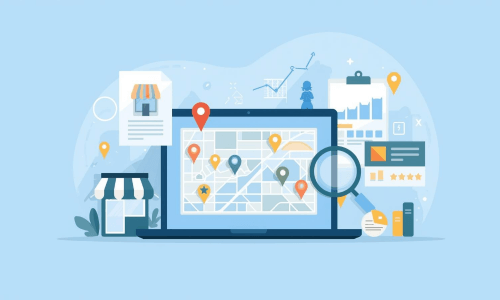
The first step should always be claiming and setting up your Google Business Profile. Your Google Business Profile is the single highest ROI action a small business can take. It ensures that you are visible in the Google Map Pack and in Google Maps itself.

Optimize your Google Business Profile like this (after claiming and verifying your listing):
- Add your business name, address and phone number. This is your NAP information. NAP stands for name, address and phone number.
- Choose the correct primary category for your business. Be as specific as possible. This has a big impact on which searches you appear for.
- Add secondary categories for other services you offer.
- Write a keyword-rich and engaging description. You have the possibility to describe your business in 750 characters. Naturally include your location and core services.
- ·Add your full service area in case you work at your customers locations.
- Upload high-quality photos. Include the outside of your business, the interior, your team, and examples of projects you have done.
- Post regular updates on GBP Posts. Here you share offers, news, or helpful tips. It shows Google you have an active profile.
Reviews
Reviews are an important part of any business. They are social proof and reflect the reputation of your business. Managing them correctly is key. For most small businesses, Google reviews are the most important platform for managing reviews. 5-star reviews can boost your Google Business Profile in Google Maps and the Google Map Pack.

So, ask your customers for an honest review after you complete your service. You can do this:
- Face-to-face by asking them for a review
- Adding a QR code to your website.
- Sending out an email with a review request.
- Adding a scannable QR code on your business card or other printable items you have and giving it to them.
When you receive reviews, try to respond within 24 hours. This shows Google you care about your customers and their experience with your business.
On-Page Optimization
Being visible in Google’s Map Pack and Google Maps is one part of local SEO, the other part is your website being visible for local searches in the search engine results page. Ensure the following elements are added to your service page or homepage (in case you have one service).
A little tip: if you offer multiple services or have multiple locations, create an individual page for each service and/or location. It increases visibility for more search queries and locations.
Add local keywords
Add your local keyword(s) to your page. This is basic SEO, but very important. Include it in:
- Your meta tags (meta title & description).
- Your H1 title.
- If possible H2 and/or H3 titles.
- Your page’s content and in your URL.
- In the alt text of your images where applicable.
Add NAP information
As mentioned earlier, your NAP information is your name, address, and phone number. I recommend adding this information to your footer. This makes it visible on all your pages.
Ensure this is the information you use across all platforms and in your Google Business Profile.
Add local business structured data to your website
Local business structured data is code that you add to your website that makes it easier for search engines to understand and display that information in search results.
I use the schema markup generator from TechnicalSEO to generate local business structured data to implement on my clients’ websites.

Here, you choose “Local Business.“

Fill out the information and you can copy the structured data, and implement it in the head of your page.

You can check if you implemented the code correctly with the validator of schema.org. You enter your URL and click “Run Test.”

It should look like this if you implemented your structured data correctly.

Embed Google Maps
The embed ties your website visually and contextually to your physical location. This strengthens the signal that your business is genuinely based at that address.
It also enhances user experience as visitors can navigate directly from your website by clicking on the Google Maps embed. Ensure you connect it from your Google Business Profile. You do it like this:
Go to Google Maps and type your business name. Once you find it, click the share button.

Then, click on “Embed a map” and copy the HTML code.

Add the code to your website, preferably in the footer next to your NAP information. It should look like this on your website:

Citation Building
A citation is an online mention of your NAP information. It helps Google verify that your business is real and confirms your location. Your NAP information should be consistent across all citations.
There are various directories to list your business on:
- General directories.
- Niche-specific directories.
- Location-focused directories.
In my experience, the niche-specific directories and location-focused directories are especially important. Of course you need the basic, well-known general directories as they help you gain trust. But for local SEO, location and niche are important.
So, focus on the most well-known general directories and add your business to all quality and relevant niche and location directories out there. Think of the business listings directory of the city you operate in, for example.
Local Link Building
Another important element of local SEO is local backlinks. A backlink is a link from another website pointing to a page on your website. A local backlink is a link from another website in your area, for example, another business or an event in your area.
This boosts your local relevance signals while building domain authority in a targeted way. General backlinks increase your domain authority, but local backlinks increase your authority for location based queries. It also improves your Google Map Pack rankings and drives traffic to your website from people in that area who might convert.
Contrary to citations, these local backlinks are harder to replicate for your competitors. When the local press creates an article about your business or you sponsor an event, your competitors can’t just press a button to have the same backlink. It requires relationships and effort to earn these.
These are some common local link sources:
- Chamber of commerce membership pages.
- Local newspaper or blog features.
- Sponsor pages (for example: local events or your local football team).
- Partnerships with other local businesses.
- Local business associations.
Get The Free Interactive Local SEO Checklist For Your Small Business
If you want an interactive local SEO checklist, I recommend downloading the free local SEO checklist. It’s completely free to use. After you click the download button the Excel sheet will open and you can start optimizing.